The Ultimate Guide to Digital Photo Booths
Everything you need to know about digital photo booths. Discover how these modern marvels are transforming weddings, parties, and corporate events.
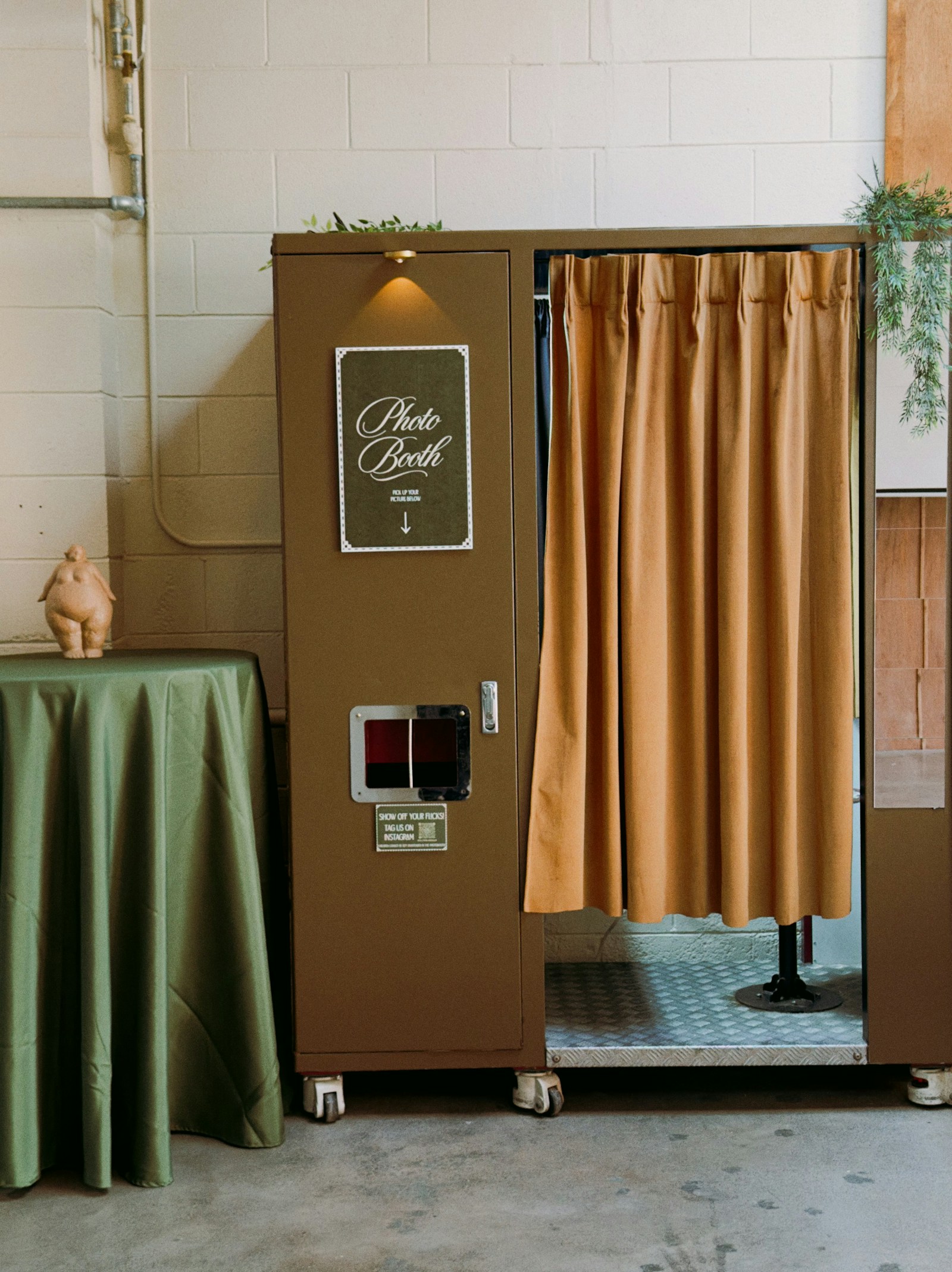
Remember the days of squeezing four friends into a cramped, curtained box at the mall, waiting for a mechanical whir, and hoping your eyes were open for the flash? While those nostalgic strips have their charm, the event industry has undergone a massive transformation. Enter the digital photo booth.
Digital photo booths are sleek, open-air interactive kiosks that have revolutionized how we capture memories at weddings, corporate galas, and brand activations. These devices prioritize instant social sharing, high-quality imagery, and user engagement over printed souvenirs. In this comprehensive guide, we'll explore why digital photo booths have become the must-have centerpiece for any modern event.

What Exactly is a Digital Photo Booth?
A digital photo booth typically consists of a high-resolution camera (often an iPad Pro or DSLR) housed in a modern stand, equipped with professional ring lighting or studio strobes. Unlike traditional booths, they rarely include a physical printer.
Instead of waiting for a print, guests receive their photos instantly via:
- SMS (Text Message)
- AirDrop (for iOS users)
- QR Code scanning
The shift from "wait for a printout" to "share to your phone in three seconds" is the entire reason this format took over.
Software Features to Look For
The hardware is just the shell; the software is the brain. When choosing a digital booth solution, whether renting or buying, look for these critical features:
- Offline Mode: Events often happen in basements or rural venues with spotty Wi-Fi. The software must serve the queue offline and upload content once the connection is restored.
- Custom Branding: You should be able to alter the start screen, the gallery background, and the email template to match the event's theme perfectly.
- Data Capture Compliance: If you are collecting emails for marketing (GDPR/CCPA), the software must have a built-in disclaimer and opt-in checkbox.
- Analytics Dashboard: You need to know how many shares, impressions, and captures happened to prove ROI to corporate clients.
Lighting: The Secret Sauce
Why do booth photos look so much better than selfies? It's the lighting.
Ring Lights
The most common solution. It provides a flat, even light that eliminates shadows and creates a "halo" catchlight in the eyes. Perfect for beauty shots.
Studio Strobes / Softboxes
For a more high-end, editorial look. Strobes can freeze motion (great for jump shots) and provide deeper, more dimensional lighting.

Why Digital Photo Booths Are Taking Over
1. The "Instagrammable" Factor
We live in a sharing economy. A physical print on a fridge is nice, but a Boomerang or GIF shared to an Instagram Story reaches hundreds of people instantly. Digital photo booths are designed for this virality. Software like PicBee allows for beauty filters, digital stickers, and animated overlays that make content native to social media platforms.
2. Space and Aesthetics
Old-school booths were heavy, boxy, and often an eyesore in a beautifully decorated venue. Modern digital photo booths are minimalist. They take up just a few square feet, allowing them to fit into tight spaces or roam the dance floor (in the case of "roamer" booths). Their white or customizable shells blend seamlessly with luxury wedding decor or corporate branding.
3. Interactive Content Formats
Still photos are just the beginning. Digital photo booths excel at creating dynamic content:
- GIFs: A series of 3–4 photos stitched into a looping animation.
- Boomerangs: A burst of photos played forward and backward, perfect for tossing confetti or jumping.
- Video FX: Slow-motion video booths (like the famous 360 booths) or glam-cam filters (think Kardashian-style B&W smoothing).
- AI Background Removal: No green screen needed; sophisticated AI can transport guests to Paris or the moon instantly.
Benefiting Corporate Events & Marketing
For businesses, digital photo booths are not just entertainment; they are data collection powerhouses.
When a guest inputs their email or phone number to receive a photo, they can opt in to marketing lists. Furthermore, every share is a branded impression. You can watermark every photo, GIF, and video with your company logo, ensuring your brand travels as far as the content does on social media.
A 200-guest corporate event with a 70% share rate can result in 1,000+ branded impressions on social media , for the cost of a single rental.
Digital vs. Print: A Cost Comparison
One of the biggest drivers for the adoption of digital photo booths is cost efficiency.
| Feature | Traditional Print Booth | Digital Photo Booth |
|---|---|---|
| Consumables | Paper, ink/ribbon (high cost) | None ($0) |
| Attendant | Almost always required (paper jams) | Optional (unattended mode) |
| Setup Time | 45–90 minutes | 10–20 minutes |
| Power | High draw (printer + computer) | Battery-operated options available |
The Future of Event Photography
As technology advances, digital photo booths are becoming even more integrated. We are seeing a convergence of personal devices and booth experiences.
Platforms like PicBee are leading this charge by not just offering booth software, but integrating it with the entire event ecosystem. Imagine a system where the photos taken at the booth are automatically synced to a live slideshow on the venue's projector, and simultaneously organized into a facial-recognition gallery for the bride and groom.
This interconnectedness ensures that the digital photo booth isn't just a siloed activity in the corner, but a vibrant, beating heart of the event's content creation.
Frequently Asked Questions
Does a digital booth need a backdrop?
While not strictly necessary (especially if face recognition or AI background removal is used), a physical backdrop sets the stage and prevents background distractions (like the bathroom door).
Can it work outdoors?
Yes, but shade is mandatory. Direct sunlight will blow out the photos and overheat the iPad/camera. Always use a tent or find a shaded wall.
How much space do I need?
A digital booth is compact. A 5x5-foot area is usually sufficient for the booth and 2–3 people standing in front of it.
Do guests need to download an app?
No , and they shouldn't have to. Modern booths deliver via QR code, SMS, AirDrop, or email. App downloads kill participation.
Wrap-Up
Whether you are a professional photographer looking to add an income stream or a couple planning your dream wedding, embracing a digital photo booth is a no-brainer. It captures the joy, energy, and spontaneity of the moment in a way that is modern, shareable, and forever preserved in the cloud.
Ready to power your booth with the best software in events?