

Birthday photos that survive the cake smash
Kids parties and milestone nights move fast. Candles, balloons, and surprise guests create moments parents and friends want forever, yet most of those shots stay trapped on random phones.
PicBee gives the host one birthday gallery with a cake-table QR, booth strips guests actually pose for, and a live TV slideshow that turns uploads into party entertainment.
Birthday memories scatter before the balloons come down
Someone films the candle blowout. Someone else catches the gift pile. A cousin gets the only clear group shot by the banners. By Monday, the host is chasing texts and still missing half the night.
Kids parties add another layer. Parents shoot from every corner, then never forward the files. Milestone birthdays get louder and messier, so the best laughs disappear into camera rolls instead of a shared album the guest of honor can reopen later.
One birthday gallery built for cake chaos
- Place a QR code on the cake table so contribution starts when guests gather
- Run booth strips near the dessert station for playful keepsakes
- Show uploads on a living-room TV or venue screen while the party is still going
- Let parents and friends upload without downloading another app
- Send one gallery link after the party instead of hunting for resends
Birthday features that keep the energy up
Less host admin, more photos of the guest of honor, and a gallery everyone can reopen when the candles are gone.
Booth station by the sweets
Park a tablet near cupcakes or the gift table and let kids or adults pose in rounds. The booth becomes a party attraction instead of a quiet side task.
4-cut strips guests keep
Classic strip layouts feel like a souvenir from the night. Friends screenshot them, parents print them later, and every strip still lands in the shared birthday gallery.
Cake-table QR
Put the code where guests already cluster for cake and candles. Upload becomes part of the celebration flow instead of an afterthought when everyone is leaving.
Live TV slideshow
Stream new photos onto a living-room TV or party projector. Guests see their shots appear in real time, which encourages more uploads while the playlist is still loud.
Find the birthday star later
Face search helps the guest of honor and close friends locate themselves in crowded group shots without scrolling through hundreds of candids.
One link for every parent
After cleanup, send a single gallery link by text or chat. Parents stop asking who has the balloon arch photos and start browsing everything together.
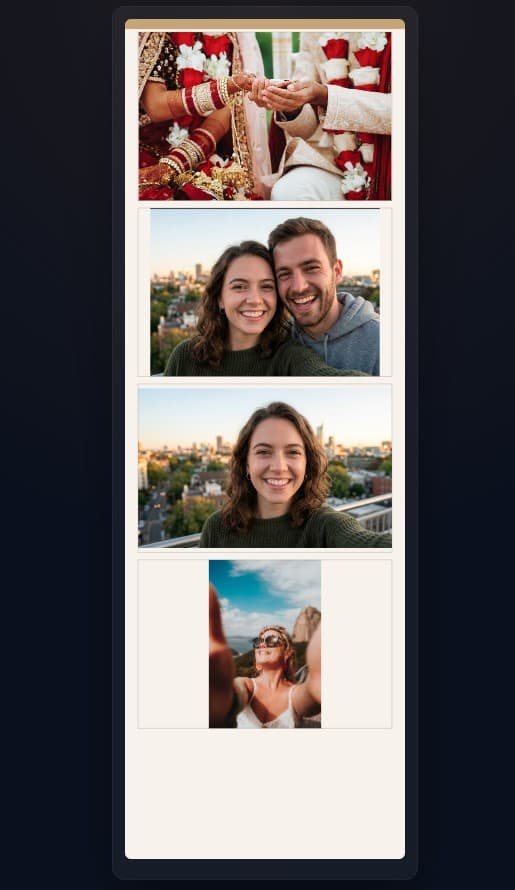
Booth strips that steal the show
A birthday booth does more than collect cute faces. It gives shy kids and busy adults a reason to pause, pose, and contribute while the party is still buzzing.
Pair strips with the cake-table QR and a live screen, and the gallery fills itself while you host, cut cake, and enjoy the guest of honor.
- Works for first birthdays, kids parties, Sweet 16s, and milestone decades
- Booth strips and guest candids live in the same birthday home
- TV slideshow doubles as ambient entertainment between games or speeches
- Host keeps ownership of the full album for thank-you messages later
Birthday nights PicBee is built for
Different ages, same problem: the best photos leave with the guests. Give every celebration one place to land.
Kids birthday bashes
Parents shoot balloons, crafts, and chaos from every angle. A simple QR keeps those phone photos from vanishing after pickup time.
Milestone decades
30th, 40th, and 50th parties mix friends from work, school, and family. One gallery stops the night from splintering across five group chats.
Sweet 16 & quinceañera energy
Formal portraits and dance-floor candids both belong in the same celebration archive. Guests contribute without waiting for a photographer drop.
First birthday weekends
Relatives travel in with cameras ready. Collect smash-cake moments and quiet family hugs in one album parents can reopen for years.
How birthday photo sharing works
Set the gallery before guests arrive, invite uploads during cake and games, then share one link when the party winds down.
Create the birthday gallery
Name it for the guest of honor, add light branding, and prepare QR placements for the cake table and entry.
Open booth and live screen
Start booth mode near desserts and cast the slideshow to a TV so guests see the album grow in real time.
Send the after-party link
Text one gallery URL to parents and friends so downloads, face search, and keepsakes stay easy after cleanup.
Birthday party FAQs
Make the birthday album fill itself
Cake-table QR, booth strips, and a live TV slideshow keep kids parties and milestone nights in one gallery guests actually use.